

Antiochian House of Studies
Welcome to the Residency
A new year of prayer, study, and fellowship — and, for the first time, a companion app to carry the whole Residency in your pocket.
A word of welcome
Welcome — and welcome home
Beloved students, as we gather once more for this year’s Residency, we thank God for bringing each of you here. Your presence is not incidental; it is a gift to this community and part of the journey we walk together.
The days ahead hold prayer, study, and fellowship — the shared life that forms not only scholars, but souls. The Residency Program is the heart of AHOS: lectures and seminars, the daily cycle of services, meals and conversation, and the quiet work of formation in the Orthodox tradition. Whether you are returning or joining us for the first time, know that you belong here.
Something new this year
Introducing the AHOS App
This year we are glad to launch the official AHOS app — built to make the Residency simpler to live day by day.
Instead of hunting through emails and printouts, everything you need is in one place: the full agenda, your own personal schedule, the daily services and prayers, events, the attendee directory, and announcements — with gentle reminders so you never miss a session.
What the app is for
One trusted home for the Residency — always current, always in your pocket. When the schedule changes, the app changes with it, so what you see is always today’s truth.
How it works
Getting started in four steps
Watch for your account email
AHOS creates an account for you and sends your sign-in details by email. See exactly what to look for below.
Download the app
Install the AHOS app on your phone using the buttons further down this page.
Sign in
Open the app and sign in with the email and password from your account email.
Explore and set up your profile
Add a photo, write a short description, and look through the agenda so you are ready for the week ahead.
Step 1, in detail
Your account email
Your invitation arrives from AHOS. Here is roughly what it looks like — check that the sender and subject match:
Dear [Your Name], your AHOS account is ready. Use these details to sign in:
Two things to remember
Check your spam / promotions folder if you don’t see it — automated emails sometimes land there. And once you’re in, change your password from your Profile to something you’ll remember.
If you get stuck
Signing in & getting help
We’ve made it easy to recover on your own — everything below happens right on the app’s sign-in screen, no website needed.
Forgot your password?
On the sign-in screen tap “Forgot password?”, enter your email, and we’ll send a 6-digit code. Type the code with a new password — done, all inside the app.
Trouble signing in?
Even before you have an account, the sign-in screen has a “Request access / report a problem” button. Tap it to reach AHOS directly — describe the issue and we’ll help.
Didn’t get your email?
Check Spam and Promotions, then use the request button above, or write to dev@ahos.edu with your full name and program.
A quick tour
What you’ll see inside
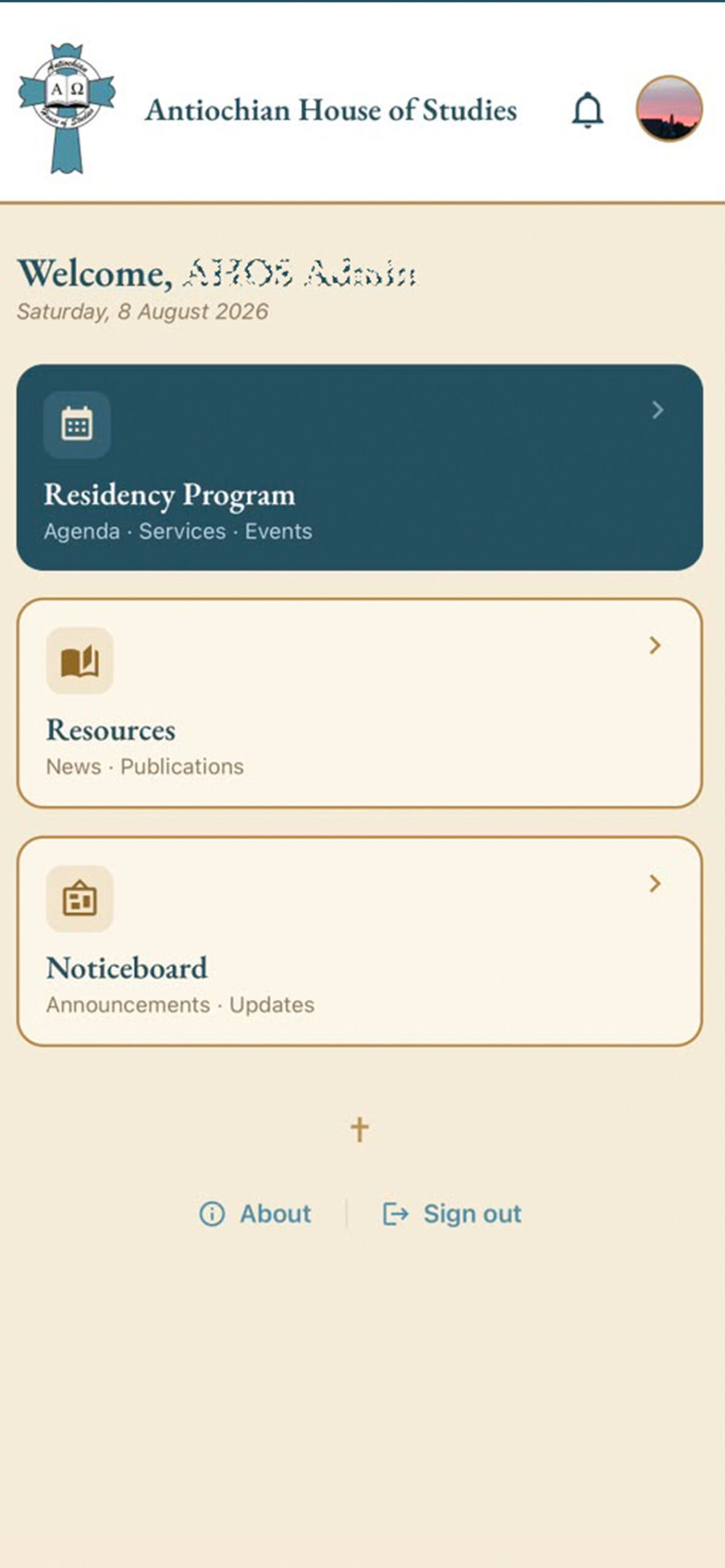
After signing in, you’ll land on your home screen. Here are the main places you’ll spend your time:
Agenda
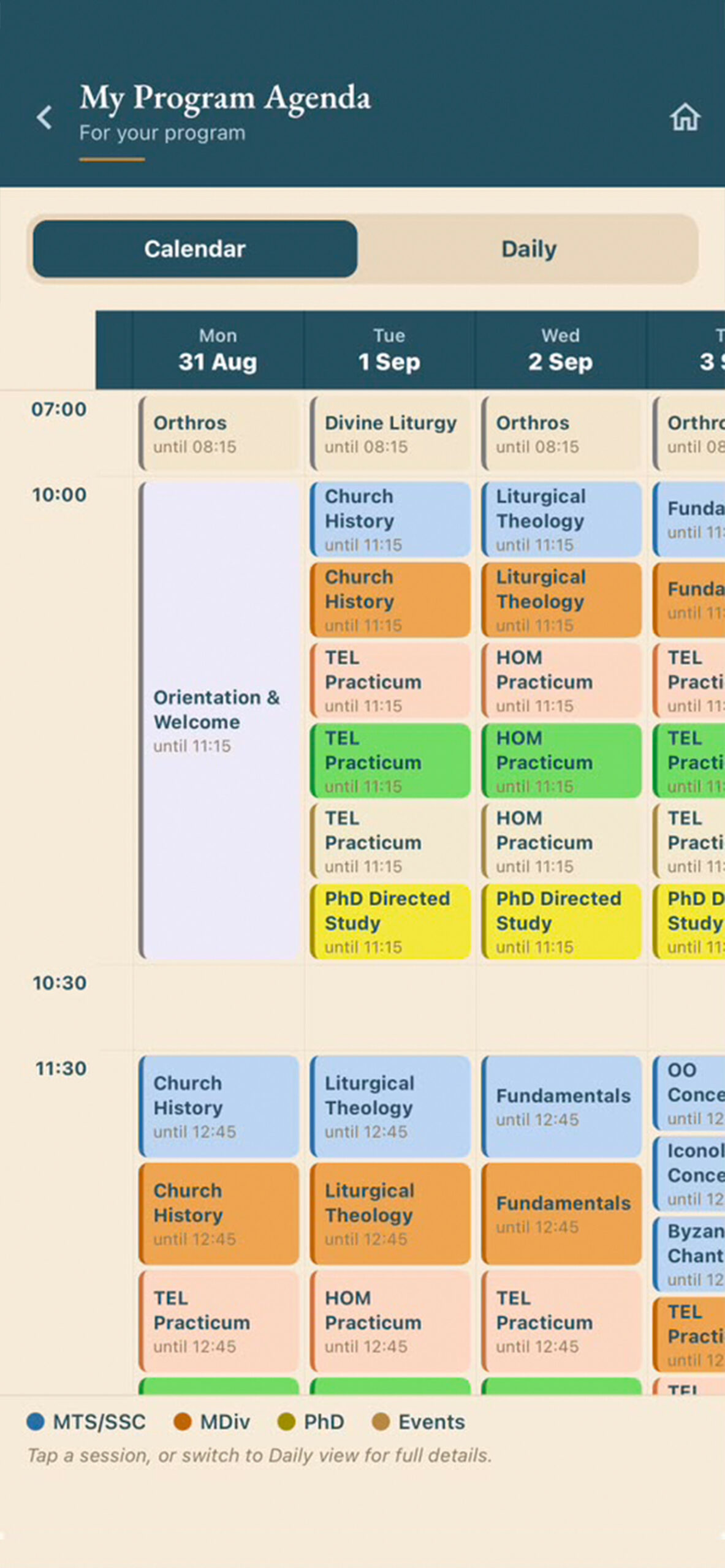
The full Residency schedule — lectures, services, and events — in both a calendar grid and a day-by-day view.
My Agenda
Your personal schedule — the sessions for your program, or the ones you lead as faculty.
Services
The daily prayers and liturgical services, with texts, gathered in one place.
Noticeboard & Events
Announcements from AHOS and what’s happening around the Residency each day.
Attendees
A directory of faculty and students — tap a name to see their photo, role, and email.
Profile
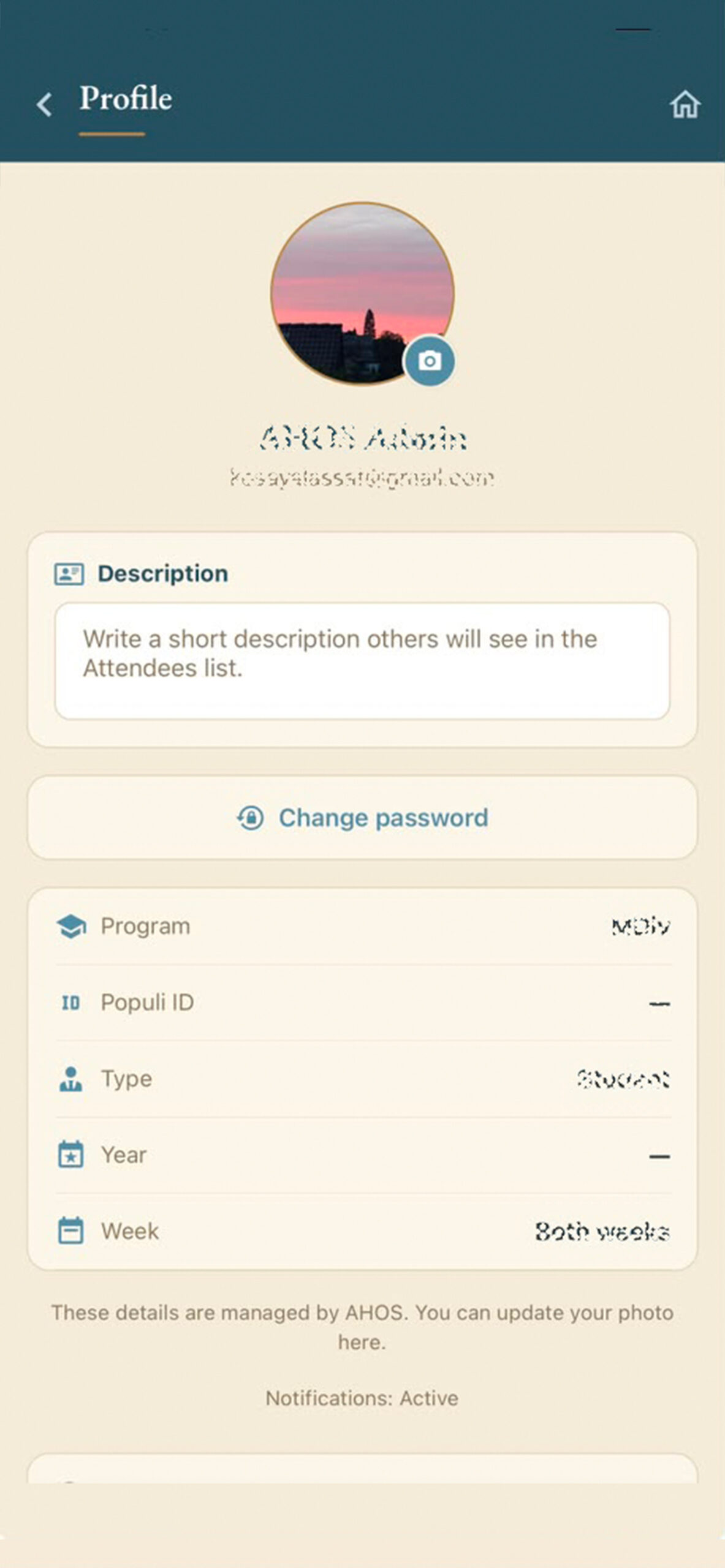
Your own space — see the panel below for everything you can manage here.
Yours to manage
Your Profile
Open Profile from the home screen to keep your account up to date:
Change your photo — tap the camera on your picture to upload a new one.
Write your description — a short bio that others see next to your name in the Attendees list.
Change your password — set a new one anytime, right from your Profile.
See your details — your program, year, and week at a glance.
Check notifications — confirm reminders are on so you never miss a session.
Get the app
Download AHOS
Install the app on your phone, then sign in with your account email.
Android — availableiOS — available
Tap your store to install, then sign in with the email and password from your account email.
We’re here for you
Need a hand?
If anything is unclear, isn’t working, or could be better, please tell us — your feedback shapes the app. You can use the Feedback page inside the app, or write to us directly.
Contact AHOS
Email dev@ahos.edu with your full name and program, and we’ll get back to you.